Introduction
About a year ago, I upgraded my PC to Intel 12th gen, after staying on 4th gen for quite a long time. Because I didn’t play video games at the time and because video cards were (and still are at the point of writing) expensive, I decided against getting a new GPU. My old system contained an – even older – Nvidia GeForce GTX 760. Installing the card into my new computer led to the PC freezing during boot, even with CSM (Compatibility Mode Support) enabled. I didn’t need the GPU at the time, so I left it out and continued with the integrated graphics.
But recently, when I wanted to give VGA passthrough1 a new shot, I needed a dedicated GPU in addition to the integrated GPU. So the GTX 760 came into mind again.
The Problem
It turns out that the card was not “UEFI-ready” (i.e. lacks support for the Graphics Output Protocol). Before that, I didn’t even know that UEFI compatibility was a thing for graphics cards! But still, even my new mainboard supports CSM booting. Maybe the CSM implementation has issues? Graphics cards without UEFI support are rare today, so these might not have been tested properly on the newer mainboards.
But even if the CSM were to work, Secure Boot – a requirement for Windows 11 – would still not work. So I still couldn’t use my existing card for my VM adventures.
As it turns out, some cards from the Nvidia Geforce 700 series do support UEFI booting, in fact even some from the 600 series do apparently. I found the information on the internet to not be very extensive on this subject, but here is what I could gather:
For the GeForce 600 series, some cards that had a large enough amount of flash for the VBIOS got a firmware update to support UEFI. The GeForce 700 series seemed to have been in a similar situation with some firmware versions supporting UEFI and some not, depending on the firmware. I’ve even found some reports of people obtaining a firmware update from the manufacturer with UEFI support enabled – including for the GTX 760.
The Update
So I just gave it a shot to contact MSI’s customer support and ask for a firmware update (for a card that is 10 years old at this point). To my surprise, I got sent a firmware and an update tool!
Archive:  N760_TF_2GD5_OC_V284-300.zip
  Length      Date    Time    Name
---------  ---------- -----   ----
        0  2013-11-15 13:52   N760_TF_2GD5_OC_V284-300/
   167936  2013-11-15 13:51   N760_TF_2GD5_OC_V284-300/350.ROM
    20473  2013-04-30 09:14   N760_TF_2GD5_OC_V284-300/CWSDPMI.EXE
   167936  2013-11-15 13:51   N760_TF_2GD5_OC_V284-300/NV284MH.350
  1132544  2013-04-30 09:14   N760_TF_2GD5_OC_V284-300/nvf5141.exe
       24  2013-11-15 13:54   N760_TF_2GD5_OC_V284-300/start.BAT
---------                     -------
  1488913                     6 files
But then, I directly ran into the next issue, when I tried to run the tool on the Windows installation I had just set up to do this update:
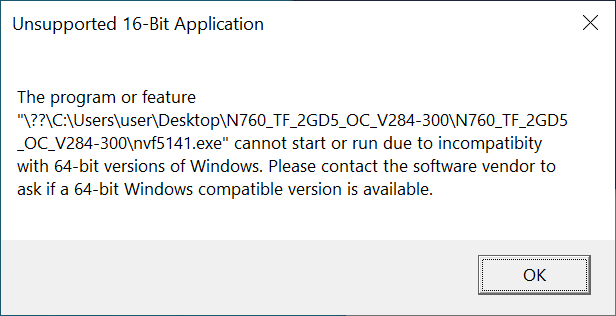
Figure 1: The error message when running the update tool on Windows.
It took a while until it dawned on me: The update tool is meant to be run on a DOS system. The MSI employee didn’t mention this fact and because I’m so used to running .exe files on Windows I didn’t even question that assumption.2 So went on to download the FreeDOS installer image and wrote it onto a USB flash drive while also throwing the firmware update tool onto the stick.
To my pleasant surprise, the FreeDOS installer runs on FreeDOS itself. So after canceling the installation, I got a shell and ran the firmware update tool from there – successfully this time.
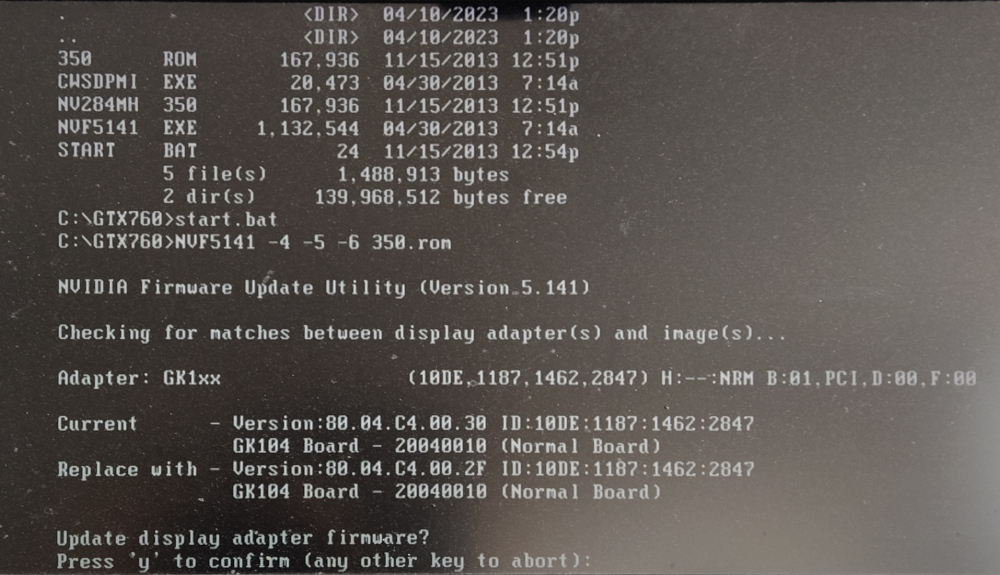
Figure 2: The firmware update on FreeDOS
After that, I installed the GPU into my new computer and everything runs fine now with the card installed.
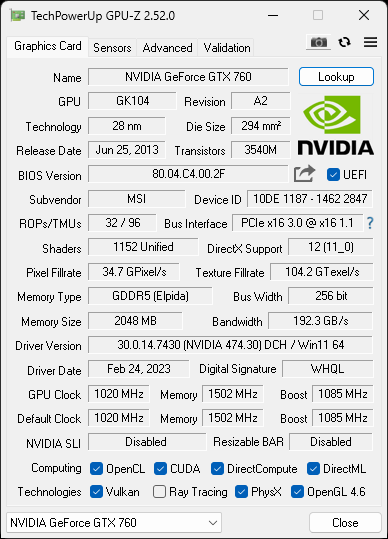
Figure 3: GPU-Z screenshot after the update.
Conclusion
What did I take away from this update journey?
- I have learned that full UEFI support requires a compatible GPU.
- I don’t have to buy a new GPU (yet).
- The MSI customer supports seems decent at least, considering that they’ve sent me firmware for a card that has been out of warranty for 8 years.